There are multiple reasons Home Assistant Cloud cannot be reached. This page provides instructions how to troubleshoot the "Unable to reach the Home Assistant Cloud" message.
Message: "Unable to reach the Home Assistant Cloud"
Symptom
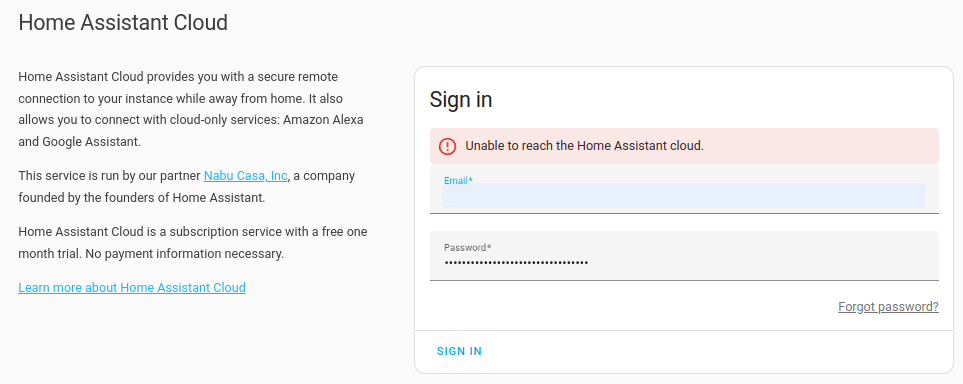
Under System > Home Assistant Cloud:
- This message can show in 2 different situations:
- You are logged in to Home Assistant Cloud and the Cloud connection status is Connecting.
- This is the first time you are trying to log-in to Home Assistant Cloud.
- You see a message Unable to reach the Home Assistant Cloud.
Cause
This error indicates a network issue. It often occurs when the Home Assistant host has a bad IPv6 network configuration. Fixing the network configuration or disabling IPv6 on the host should resolve this error.
Resolution
- To check the IPv6 connection, in your browser, open test-ipv6.com.
- Try the steps suggested by the website.
- If there is an IPv6 issue and the step above didn't work: try disabling IPv6:
- In the UI, go to System > Network.
- Under Configure network interfaces, expand the IPv6 dropdown.
- Choose the disabled option and save the changes.
- To have all network settings applied from scratch, reboot the host. Select Settings > System > Restart Home Assistant (top right) > Reboot system.