Step-by-step instructions on configuring the Home Assistant Yellow for Thread support when you have previously used it for Zigbee. The Thread adapter allows you to connect Thread-based devices, such as Matter-over-Thread devices, to your network.
This guide is about switching from Zigbee to Thread support on Yellow's built-in radio chip. If your goal is to keep using Zigbee and using Thread in addition, you can use an external adapter for Thread, such as the Home Assistant Connect ZBT-1.
Prerequisites
This guide assumes you have the following setup:
- Home Assistant Yellow up and running.
- Home Assistant OS installation.
- Multiprotocol support disabled: Refer to the Disable multiprotocol support procedure.
- Important: This guide installs firmware that supports only Thread! You will no longer be able to control your Zigbee devices with this adapter after installing the Thread firmware. Depending on whether you want to keep your Zigbee network (on another device) or not, follow the steps in one of the following scenarios:
-
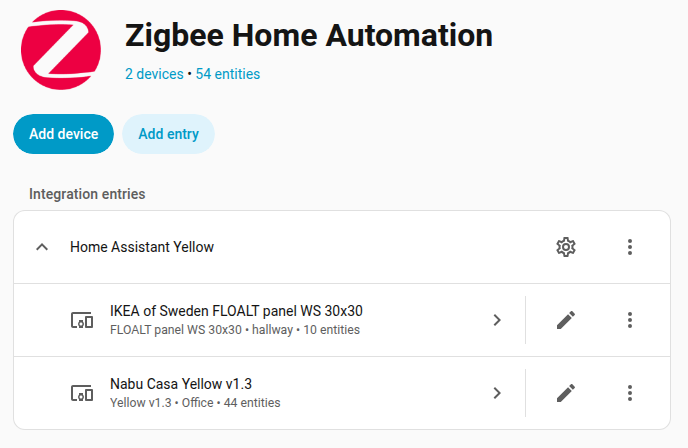
Scenario 1: You want to keep the Zigbee network: If you use your Yellow to run a Zigbee network, migrate your Zigbee network to another adapter. Otherwise, if you delete the Zigbee network, even if you set it up again, all of your entity customizations will be gone.
-
Scenario 2: You no longer need the Zigbee network: If you use your Yellow to run a Zigbee network, and you no longer need a Zigbee network, follow these steps to remove ZHA from the integration list:
- Go to Settings > Devices & services.
- Select the Zigbee Home Assistant integration card.
- Select the three dots menu behind Home Assistant Yellow and choose Delete.
-
Enabling dedicated Thread support
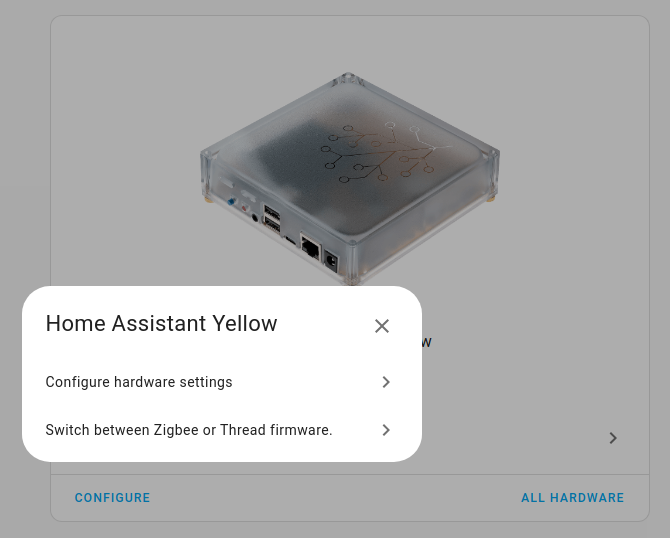
- Go to Settings > System > Hardware.
- Select Configure.
- Select Switch between Zigbee and Thread firmware.
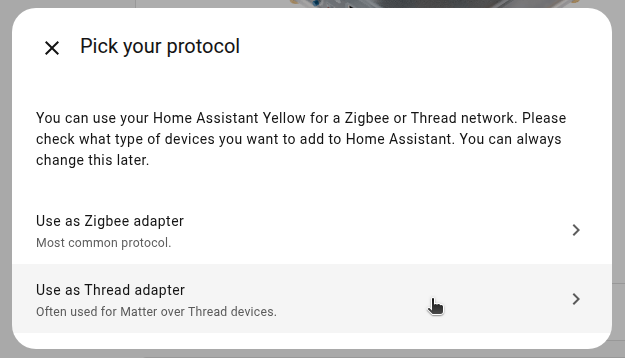
- Under Pick your protocol, select Use as Thread adapter.
- Result: The OpenThread Border Router add-on is installed.
- The dialog informs you that your Yellow now acts as an OpenThread border router. Select Submit.
- Then, select Finish.
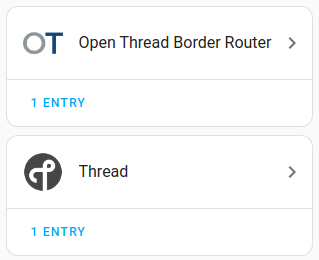
- Go to Settings > Devices & services.
- You should now see the OpenThread Border Router and the Thread integrations.