This guide shows you how to use the Home Assistant Connect ZBT-1 as a dedicated Thread adapter. The Thread adapter allows you to connect Thread-based devices, such as Matter-over-Thread devices, to your network.
Prerequisites
- Home Assistant Operating System installed on your smart home hub. For example:
- on a Home Assistant Green, where Home Assistant OS is preinstalled
- on a Home Assistant Yellow or on a Raspberry Pi
- Latest updates installed
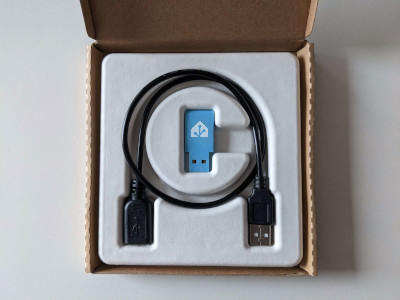
- Home Assistant Connect ZBT-1 adapter and a USB extension cable
- Thread devices
To enable dedicated Thread support
Step 1
Plugging the extension cable into Home Assistant Connect ZBT-1
Notice
USB 3.0 ports and USB 3.0 drives can cause interference with 2.4 GHz protocols, including the ones provided by Home Assistant Connect ZBT-1.
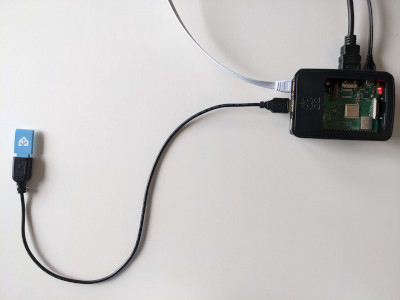
- It is important to use the USB extension cable and to position the Home Assistant Connect ZBT-1 away from possible interference sources.
- This video shows the effect of interference.
- Plug the Home Assistant Connect ZBT-1 into the USB extension cable.
- Plug the extension cable into your Home Assistant instance.
- If you are using the standalone Home Assistant Container installation method, make sure Connect ZBT-1 is mapped to the container.
Step 2
Locating the Home Assistant Connect ZBT-1 integration
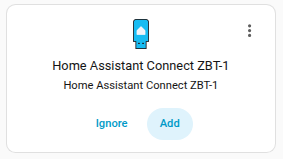
- Go to Settings > Devices & services.
- Home Assistant Connect ZBT-1 should now be discovered.
- Select Add.
Step 3
Selecting the Thread firmware
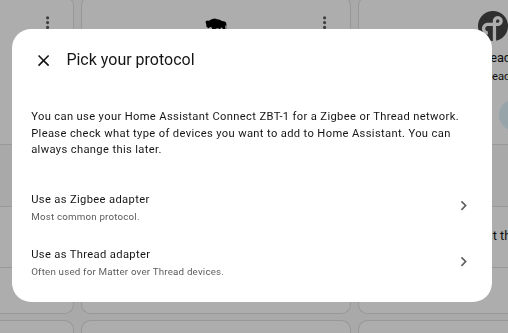
- Select Use as Thread adapter.
- Result: This installs the OpenThread Border Router add-on which allows you to connect Matter-over-Thread devices.
Step 4
Adding the adapter to an area
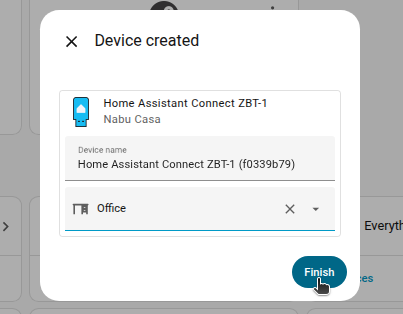
- When prompted, add the adapter to an area.
- Then, select Finish.
Step 5
Viewing the Thread networks
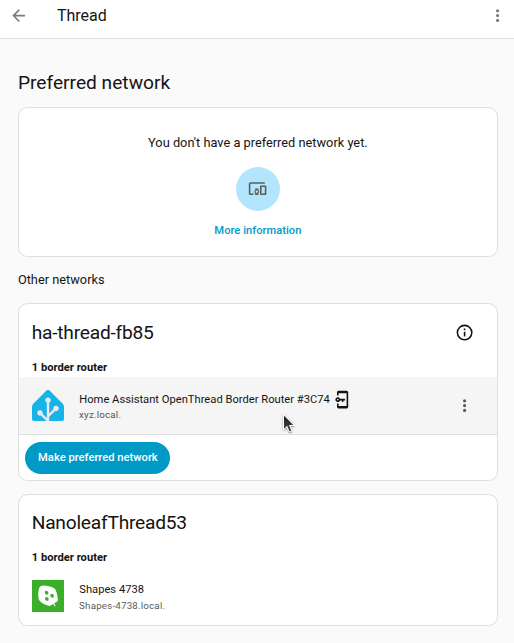
- Go to Settings > Devices & services.
- You should now see the OpenThread Border Router and the Thread integrations.
- Select the Thread integration, then select the cogwheel.
- You will now see a Home Assistant OpenThread Border Router.
- You might also see other Thread networks from other border router devices in your home.
- Refer to the Thread documentation to learn more about different Thread networks, or about Thread border routers.
- You can now add your Thread-based devices to Home Assistant.