If you are running Zigbee on Home Assistant Connect ZBT-2, a device reset fully wipes the device's NVRAM. This means that the device data is completely erased, all settings of any form are removed, including the Zigbee network information. It's safe to pass it on to someone else.
If you are running Thread on Home Assistant Connect ZBT-2, you cannot reset the device, as Thread network info is only stored in Home Assistant. Pressing the button has no effect in that case.
Prerequisites
- If needed, migrate the network to another adapter before resetting Home Assistant Connect ZBT-2.
- Delete the Home Assistant Connect ZBT-2 integration from Home Assistant.
- A pointy tool like a sim tray ejector pin.
To reset your Home Assistant Connect ZBT-2
Step 1
Pressing the reset button
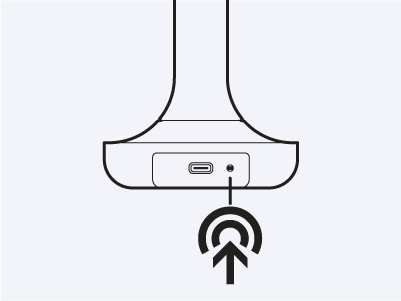
- To reset the device, press and hold the button.
- The device LED starts blinking orange 4 times.
- If you stop pressing during that time, the reset is not started.
Step 2
Wait for the light to start blinking blue
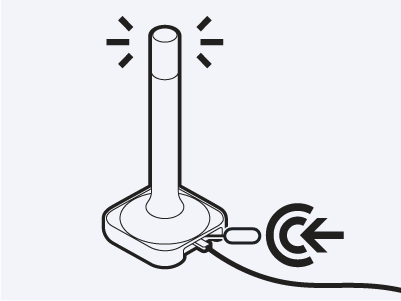
- Wait.
- When the LED starts blinking red, the firmware is being reset.
- After resetting, the device automatically reboots.
- Wait for the light to blink blue.
- The blue pulsing light shows that it's rebooting and ready to connect to a hub again.